.png?width=400&height=86&name=BrainTap%20Logo%20with%20Tagline%202023%20(1).png)
- Once you have logged into the BrainTap Brainfitness App, you will be brought to the home screen.
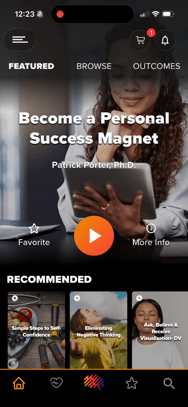
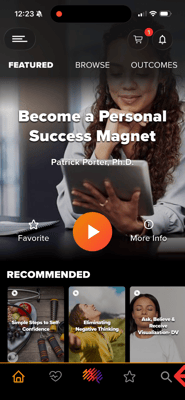
- From here, you can scroll through the content and find a playlist and session you would like to share. You can also, use the search feature found on the bottom right-hand corner of the app.
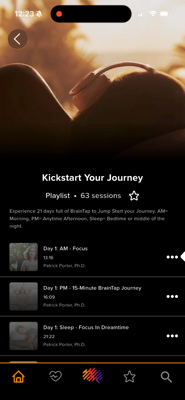
- Once you tap into a playlist, find a session you would like to share.
- You can tap the three dots next to the session name.
- Then tap "Share this Session"
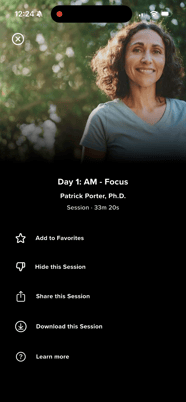
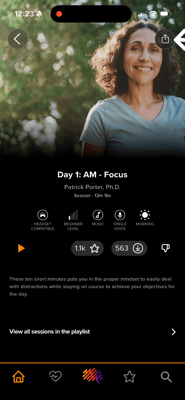
- or tap into the session and find the share icon on the top right hand corner of the screen
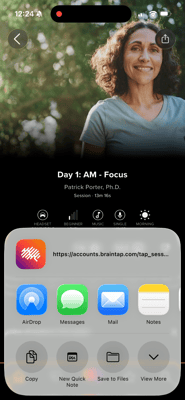
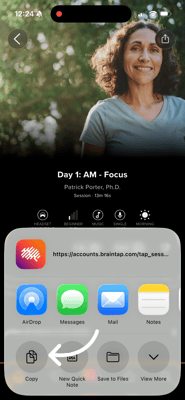
- Here you will see the share options that are available. You will be able to share through messages, email, or simply copy the link.
If you have any additional questions or concerns, please reach out to support
(302) 721-6677 or Support@braintap.com